Saathi Portal Sync
Live bi-directional synchronization between Saathi cloud portal and your local database.
 Sathi Connect
Download Now
Sathi Connect
Download Now
Saathi Portal data to TallyPrime, without manual entry.
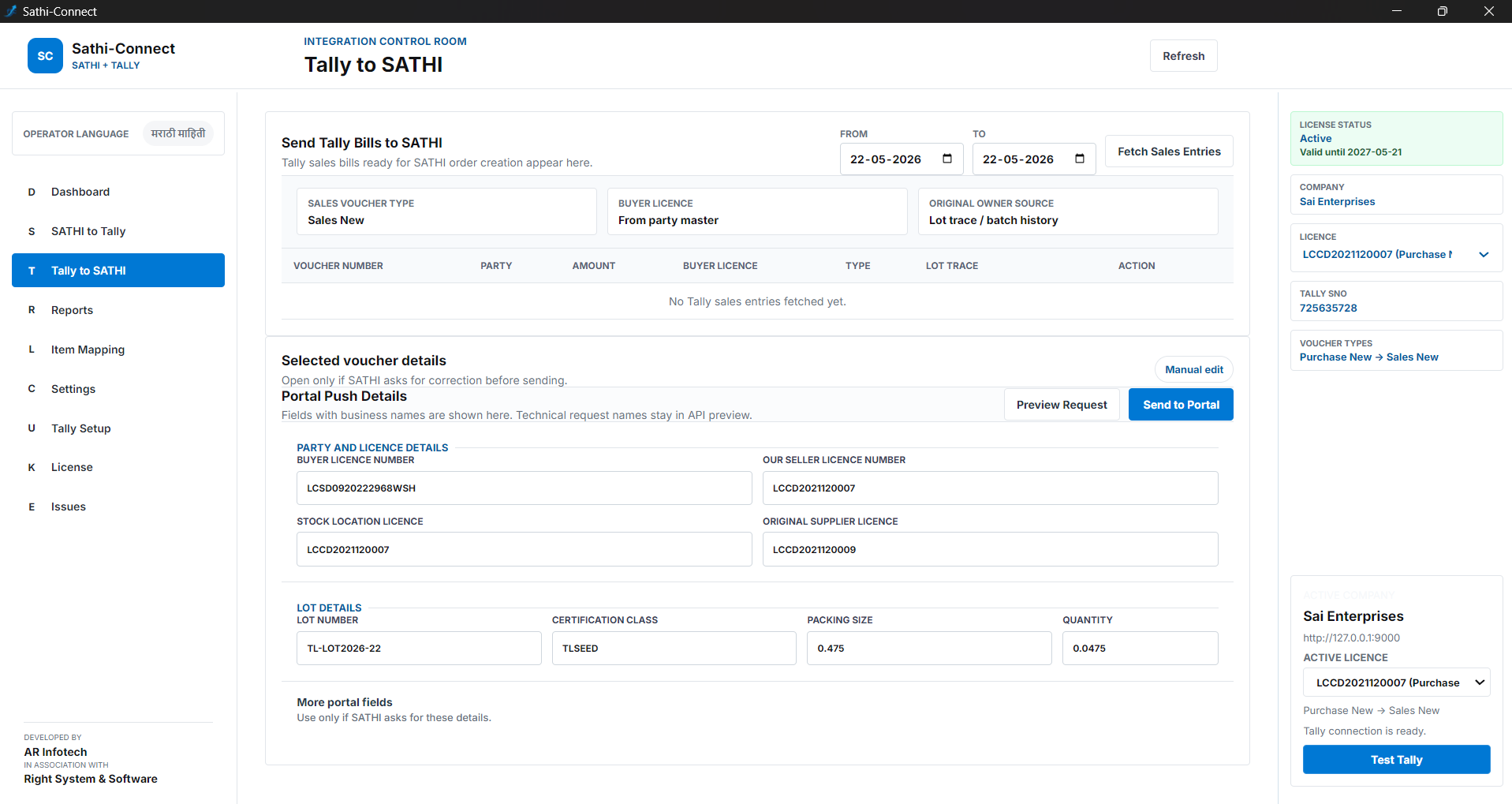
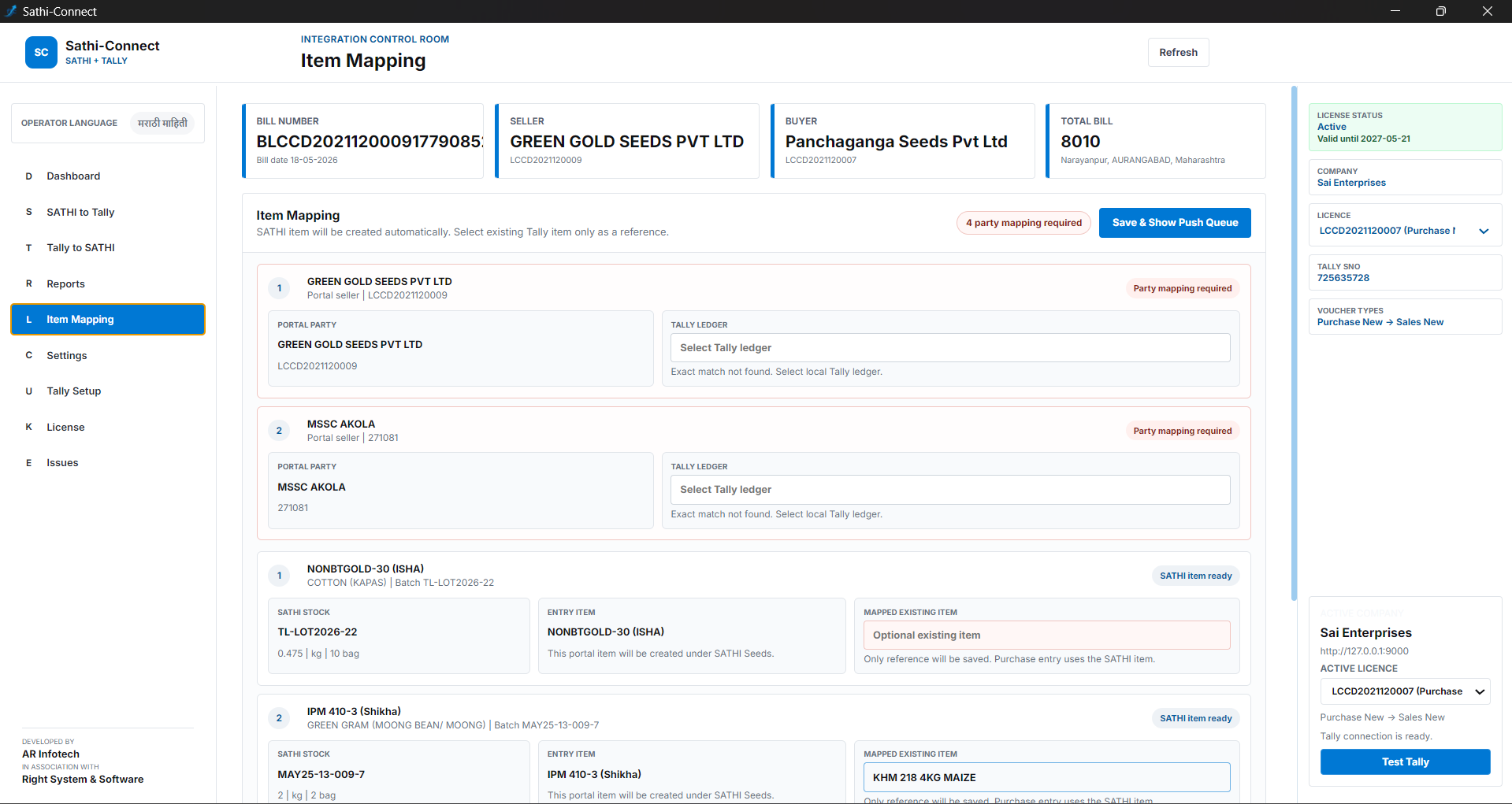
Install Sathi Connect on Windows and sync billing, order, lot, and customer data with TallyPrime using a simple local connector. Robust, fast, and secure.
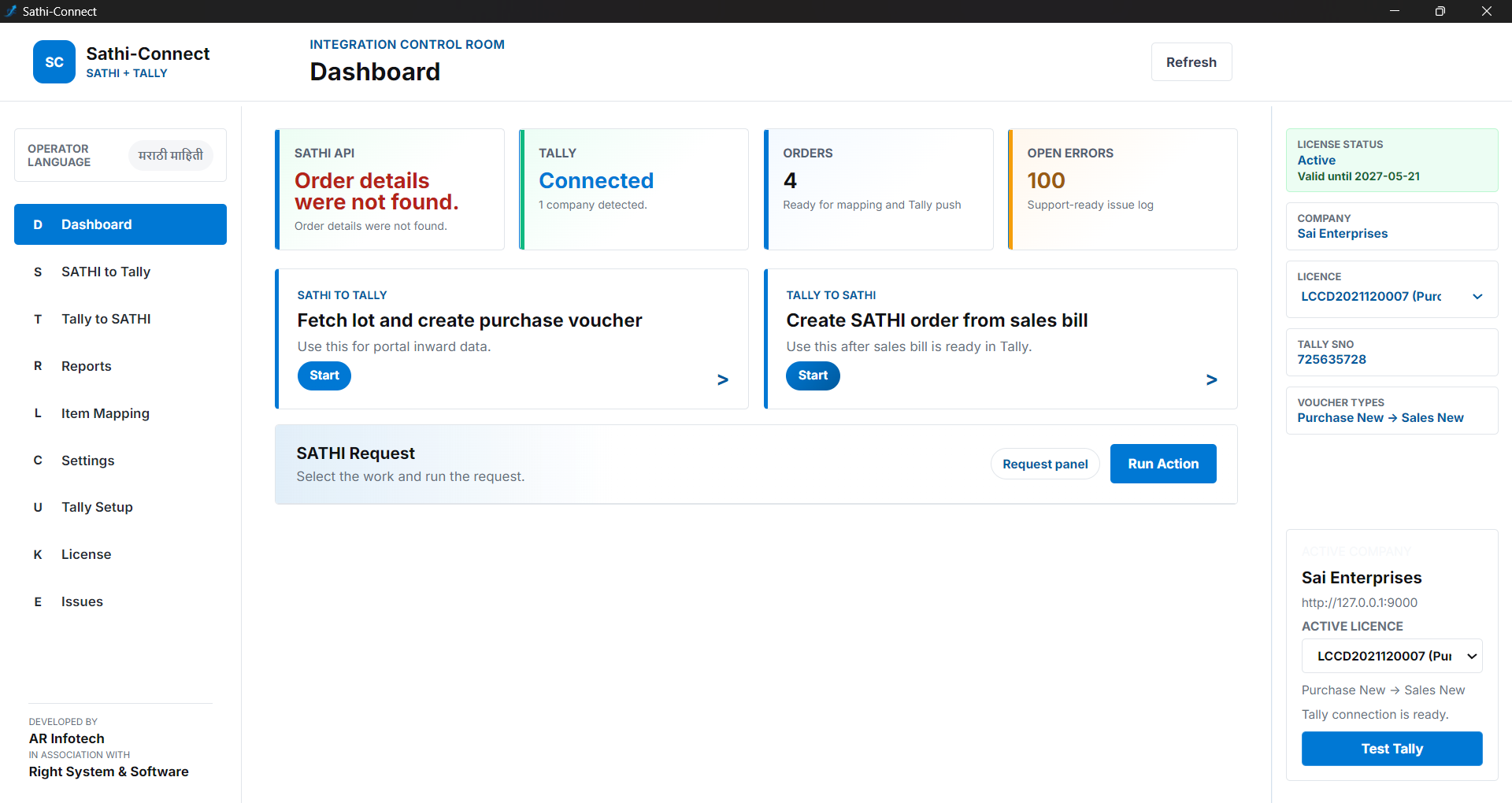
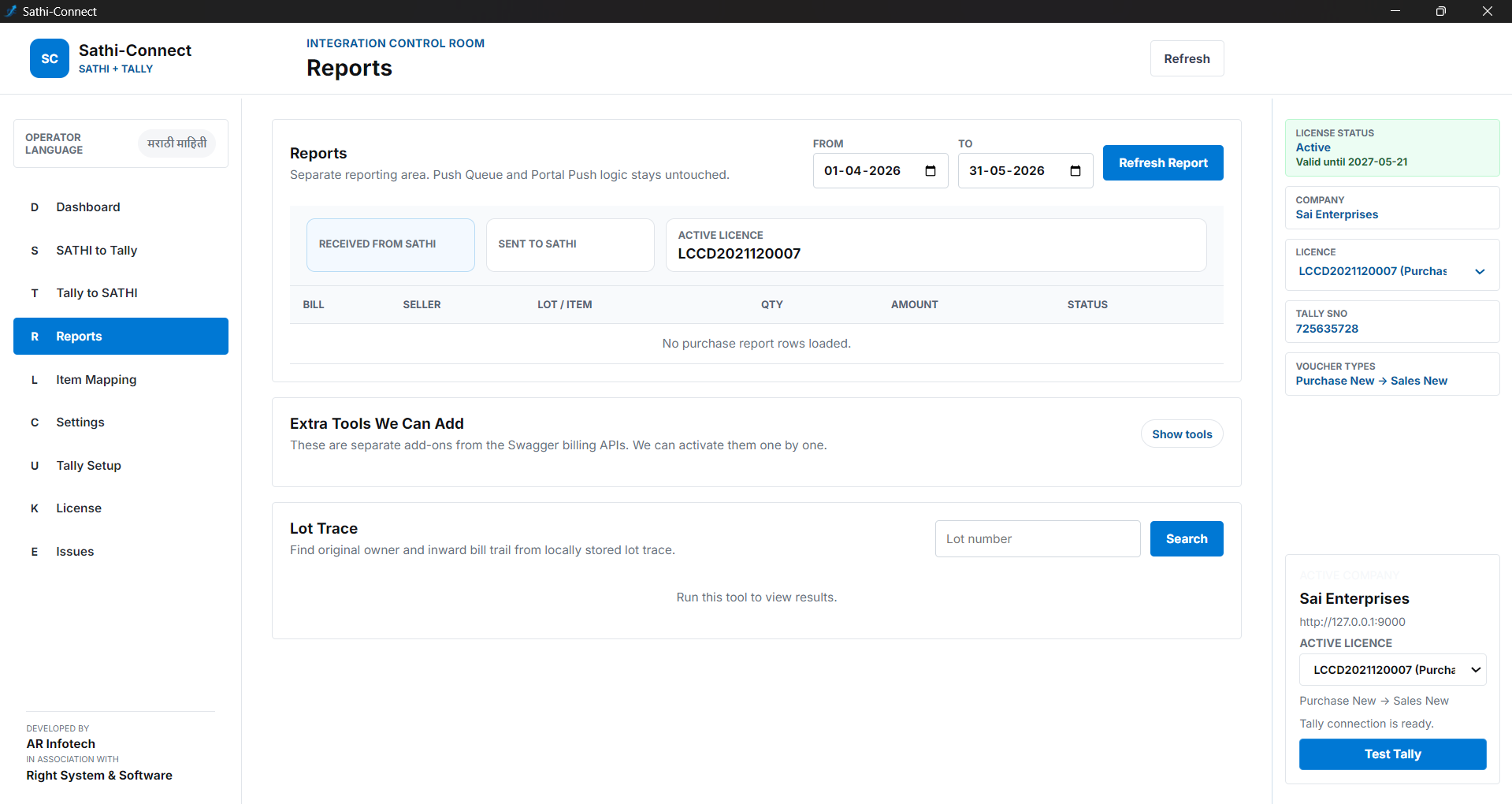
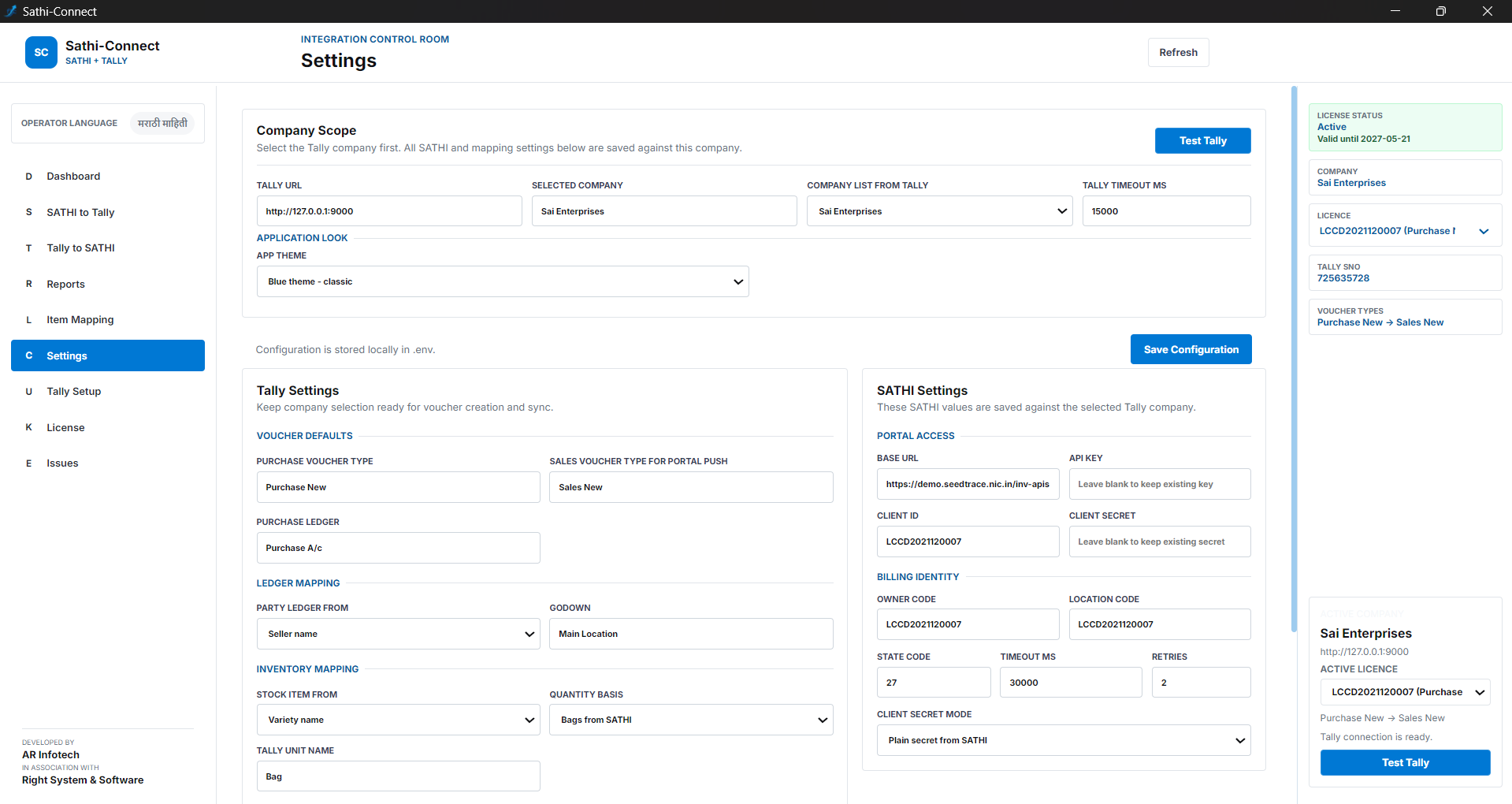
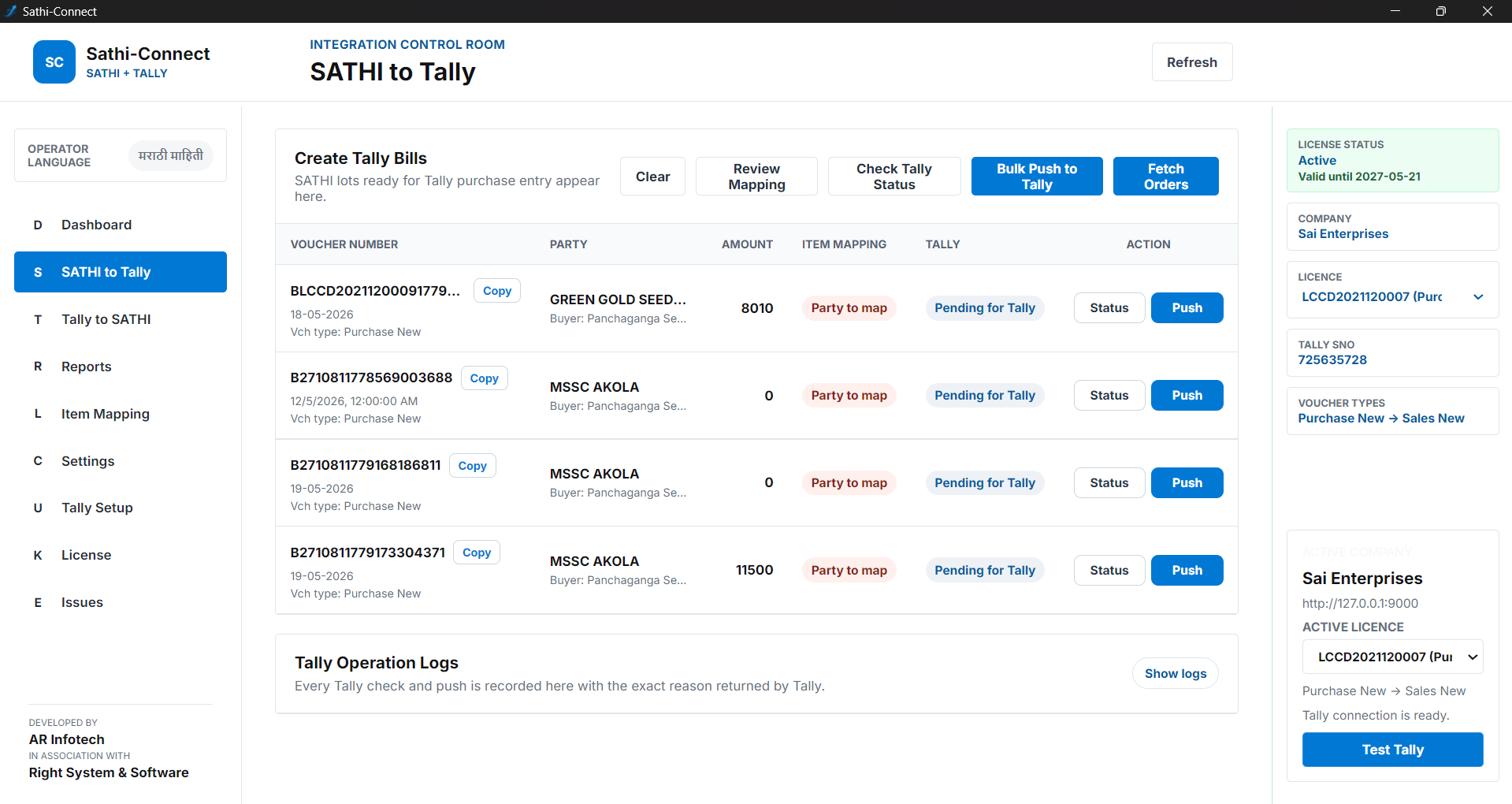
Engineered for Indian enterprise accounting workflows.
Live bi-directional synchronization between Saathi cloud portal and your local database.
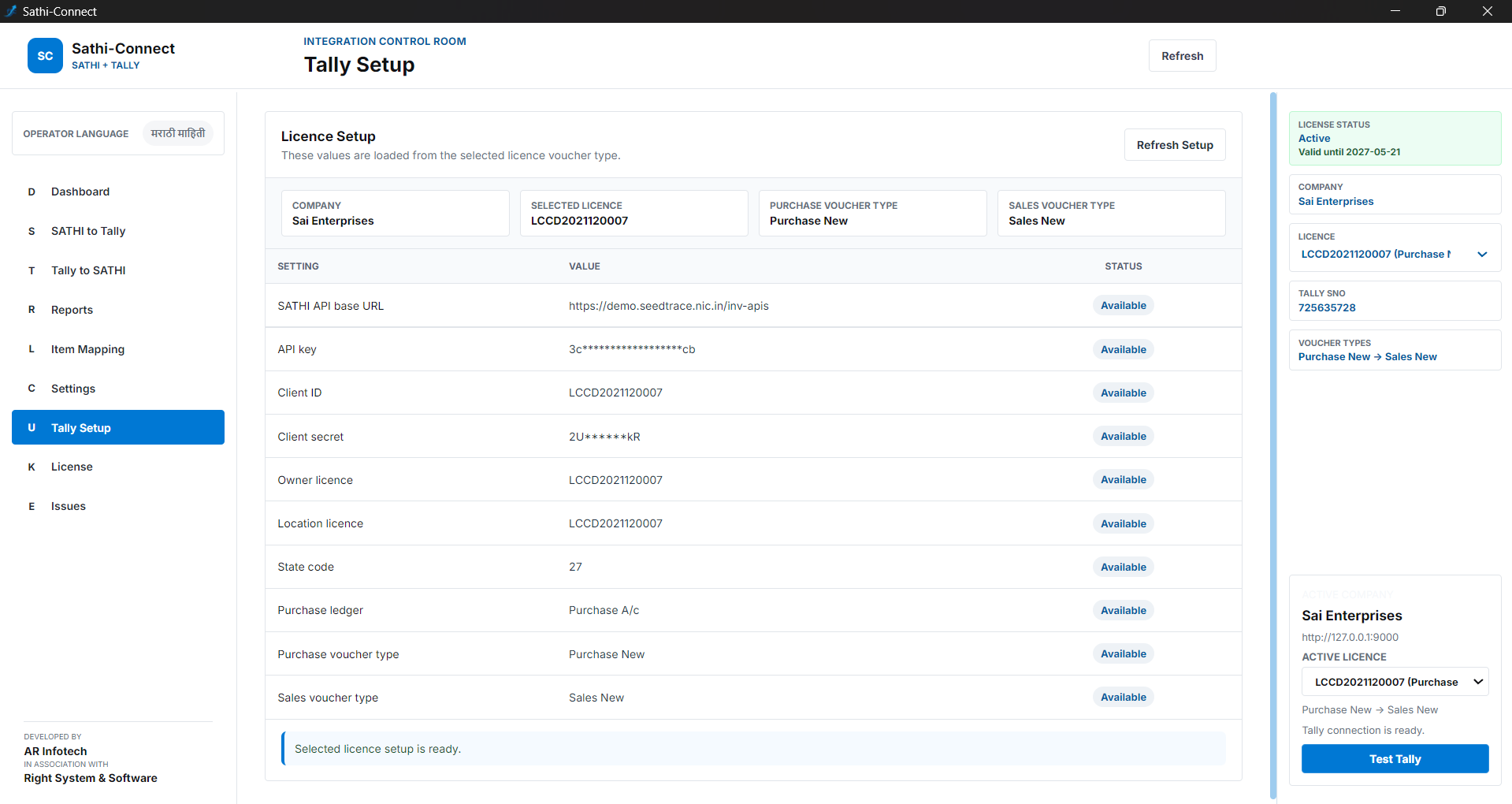
Seamlessly bridge your data directly into TallyPrime through a secure local port connection.
Transfer billing, orders, and customer master records in bulk with zero data loss risk.
One-click Windows installation process designed for rapid deployment across your organization.
Windows 10 or 11 recommended. Legacy support for 32-bit systems is available.
Local port 9000 must be open for Tally communication. Stable internet is needed for portal access.
TallyPrime must be installed and running on the local machine or network.
Administrator privileges are required for the initial installation and connector setup.
Select the version compatible with your Windows system.
Best for most modern computers. Offers the fastest sync speeds and latest security features.
Download Sathi Connect 64-bitUse only for older systems. Maintains full compatibility with legacy Windows installations.
Download Sathi Connect 32-bitHave questions about installation or data sync? Our team is here to help.
Email Supportsupport@sathiconnect.com
Support HoursMonday - Saturday: 10:00 AM - 6:00 PM IST